The Silent Nightmare: Waking Up to a Missing Website
Let me tell you a secret—I once almost lost my entire online business over a $12 ignored email. I woke up one morning, typed my own website name into Chrome, and got slapped with a sketchy parking page full of random ads instead of my homepage. My stomach dropped. It was completely terrifying. I want to show you exactly how this happens and how you can lock down your web address today so you never have to feel that kind of panic.
I still remember the cold sweat that hit me a few years ago when I typed in my own website and saw a bunch of weird ads instead of my homepage. I thought I had been hacked, but the embarrassing truth was that I simply missed a renewal email that went directly to my spam folder. Losing my site for just three days almost ruined my business, and that terrifying feeling is exactly why I want to warn you before it happens to you.
Your stomach drops. You quickly try to log into your work email to contact your team, but your email password is rejected. Nothing works. Your entire digital life has seemingly vanished into thin air overnight.
This is the harsh reality thousands of website owners face every single day. We often think of our website names as permanent property, much like a house we bought. But the truth is entirely different. You do not actually own your domain name; you are merely renting it from the internet.

When you forget to pay that digital rent, the system does not care about your hard work. It does not care about your brand identity or the thousands of dollars you spent on marketing. The moment the clock strikes midnight on your expiration date, a ruthless and automated process begins.
Many people assume they have plenty of time to fix it. They hear rumors about a safe window where they can just log in, pay the regular fee, and get everything back to normal. But this assumption is a massive trap.
This short window is highly unpredictable. It varies wildly depending on where you registered your address. If you misunderstand how this timeline works, you risk losing your digital identity forever. Let us break down exactly what happens when your domain expires, step by step, so you never have to experience this completely avoidable panic.
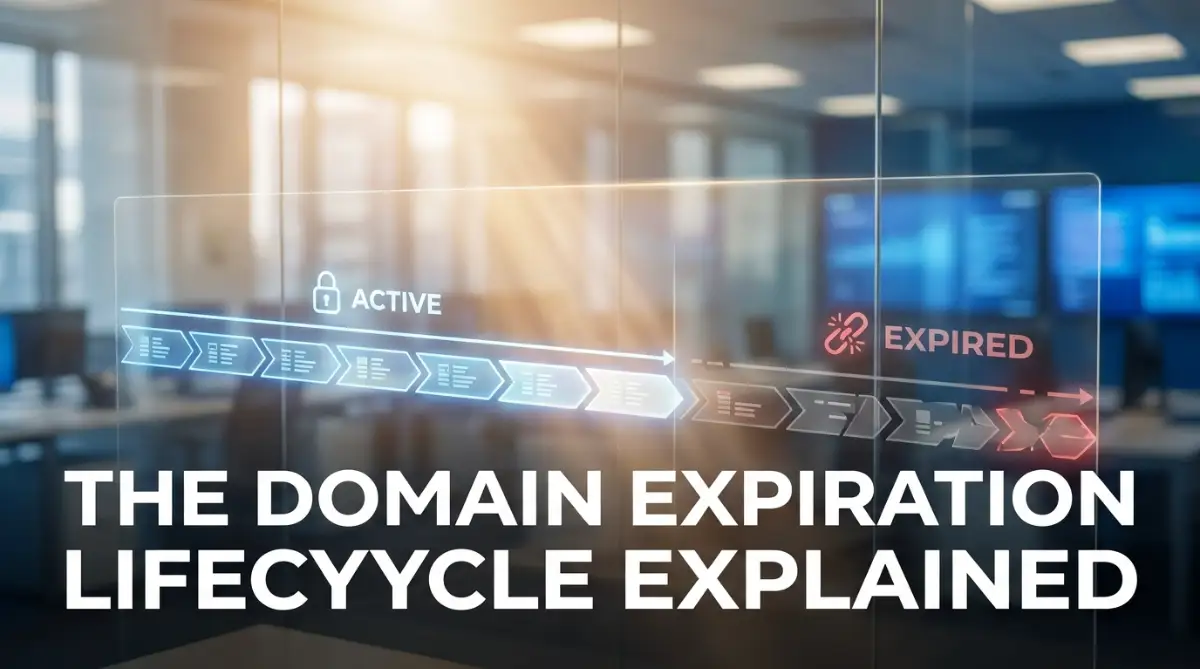
What You Will Learn In This Guide:
- The exact timeline of what happens the minute your website expires.
- Why the "grace period" is a massive trap that costs business owners hundreds of dollars.
- How to turn on a free setting called "Registrar Lock" to stop domain theft.
- The big mistake people make by using their custom email for registration alerts.
The Invisible Clock: How You Actually Lose Your Web Address
To truly understand this problem, you need to change how you view your internet address. Think of it like an apartment lease. As long as you pay your annual rent, you have the keys. You can invite guests over, decorate the place, and build your life there.
But the exact second your lease ends without a renewal, your landlord changes the locks. Your furniture is still inside, but you cannot get through the front door. This is exactly what internet registrars do to your website. We need to look closely at the specific phases of this timeline. Each phase comes with new risks, higher costs, and a growing chance that you will lose your brand name permanently.
If you are a visual learner, watch this quick video that breaks down the scary timeline of domain expiration. Once you finish watching, keep reading below to find out exactly how to bulletproof your website so this nightmare never happens to you!
1: The Sudden Disconnect (Days 1 to 5)
The very first thing that happens is a complete disconnection of your services. Within hours of expiration, the registrar updates the global address book of the internet. This system tells web browsers exactly where to find your content.
Once updated, your website simply goes dark. Visitors trying to read your blog or buy your products will see a confusing "This site cannot be reached" error. But the damage goes much deeper than just a broken website.
Your custom email addresses stop working instantly. If a client tries to email you a contract, that message bounces back to them with an error. This creates a massive loss of trust. Your clients might think your business went bankrupt or shut down without warning.
Expert Insight:
Always remember that email downtime is often more damaging than website downtime. If you run a local bakery, missed email orders mean lost revenue that you can never recover.
2: The Silent Grace Window (Days 5 to 45)
If you notice the problem early, you enter the first safety net. This is widely known as the grace window. However, this phase is deeply misunderstood by most beginners.
During this time, the registrar holds your web address in a suspended state. They usually replace your homepage with a generic parking page. This page is filled with random advertisements. Any money generated from these ads goes directly to the registrar, not you.
You can still log into your account and pay the normal renewal fee to get your address back. But here is the major catch: there is no universal rule for how long this window lasts.
Some companies give you a generous 40 days. Others might only give you 10 days before they move to the next phase. Some specific types of country-code addresses offer zero extra days at all. If you wait too long, expecting a standard 30-day cushion, you might be in for a terrible surprise.
Quick Q&A: The Grace Period Confusion
- Q: Will my web host email me before they suspend my site?
- A: Yes, they usually send warnings 30, 15, and 5 days before expiration. But if those go to your spam folder, you will never see them.
- Q: Can anyone else buy my name during this grace period?
- A: Not yet! During the standard grace period, only you have the right to renew it. But the clock is ticking fast.
Myth vs Reality:
- Myth: Every registrar provides a guaranteed 30-day safety net for late renewals.
- Reality: Registrars write their own rules. Read your specific terms of service, because some addresses are immediately deleted the day after they expire.
3: The Expensive Redemption Trap (Days 45 to 75)
If you ignore the warnings and miss the initial safety window, you fall into the redemption phase. This is where things get incredibly expensive and stressful.
At this point, your registrar returns your web address to the central internet registry. You no longer have simple access to your domain through your normal dashboard. To get it back, your registrar has to submit a special request to the central authorities.
This process requires a lot of manual paperwork on the backend. Because of this, they will charge you a heavy penalty fee. A domain that usually costs ten dollars to renew might suddenly cost you hundreds of dollars to restore.
Status Phase Average Cost Effort Required Risk of Loss Active Status Regular Price Very Low None Grace Window Regular Price Low Low Redemption Trap Heavy Penalty Fees High Very High
Many small business owners are shocked when they see these massive penalty fees. They often call customer support, begging for the regular price. Unfortunately, customer service agents cannot waive these fees, because the charges come from the top-level internet authorities.
4: The Public Auction Floor (Days 75 and Beyond)
If you refuse to pay the heavy penalty, or simply abandon the address, you reach the point of no return. Your digital identity is sent to the public auction floor.
Behind the Scenes: The Drop Catchers
Did you know there is a whole industry built around expired websites? "Drop catchers" use powerful software that pings the internet registry milliseconds after your name expires. If your site gets decent traffic, their bots will snatch your web address before you can even click a button to buy it back. This is why you can never wait until the last minute.
This is an incredibly active market. Professional domain investors use automated software to track expiring addresses. They look for names that have good search engine history, existing traffic, or a catchy brand identity.
Once your address hits the auction block, anyone in the world can bid on it. If your brand name is valuable, a competitor might buy it just to steal your existing customers. Once someone else wins that auction, you have permanently lost your name. There is no legal way to force them to give it back to you.
Real-Life Impact: Why Your Business Cannot Afford This Mistake
The technical timeline is scary enough, but the real-world consequences are much worse. Let us look at what actually happens to a business when they drop their web address.
First, you lose all your search engine rankings. Search engines hate sending their users to broken websites. If your site is down for several days, search algorithms will quickly remove your pages from their results. Even if you pay the fees and restore your site a week later, it can take months to regain your previous search rankings.
All the hard work you did to get links from other websites is now wasted. Those links point to a parked advertising page instead of your helpful content.
Secondly, consider the massive security risks. Let us imagine a hacker buys your expired domain at auction. They do not care about your website content. Instead, they set up an email server using your old web address.
Now, they can receive emails meant for you. They can go to your bank website, click "Forgot Password," and have the reset link sent to your old custom email. Since they now own that email address, they can easily access your most sensitive private accounts. This happens far more often than you might think.
Why Auto-Renewal Sometimes Fails You
You might be thinking, "I do not need to worry about this. I turned on auto-renewal when I bought my name." While auto-renewal is a highly recommended practice, it is not perfectly foolproof.
Credit cards expire. Banks issue new cards when fraud is detected. When you get that shiny new piece of plastic in the mail, you probably update your Netflix and Amazon accounts immediately. But most people completely forget to update their internet hosting accounts.
When your billing system tries to process the yearly charge, the old card fails. The system sends an automated warning email. However, because we get so many promotional emails from these companies, those important billing warnings often end up buried in the spam folder.
Practical Action Step:
Do not rely blindly on automated systems. Set a manual calendar reminder on your phone two weeks before your expiration date. Take five minutes to manually log in, check your billing details, and ensure the payment goes through smoothly.
How to Protect Your Digital Identity Starting Today
Taking control of your digital assets requires proactive planning. You cannot afford to be lazy with the name that represents your entire online presence.
The smartest thing you can do today is pay for multiple years in advance. Most services allow you to register your name for up to ten years. If you know you are serious about your blog or business, lock it down for the long term. This protects you from yearly price increases and completely removes the stress of annual renewals.
Next, keep your contact information heavily updated. When you register a web address, you must provide an administrative email. Never use an email address that is attached to the domain itself.
For example, if your website is about healthy eating, do not use a contact email ending in your healthy eating web address. If the domain expires, that specific email stops working, and you will never receive the emergency renewal notices. Always use a reliable, secondary public email address for your main administrative contact.
By understanding this lifecycle, you take the power back into your own hands. You no longer have to fear the dangerous grace period, because you will never let your digital property get close to the edge. Take these simple precautions, check your billing profiles, and secure your online home for the years ahead.
Bulletproofing Your Digital Real Estate Portfolio
Once you understand the dangerous timeline of an expiring web address, you must take proactive steps to secure it. Relying entirely on automated billing systems is a gamble you cannot afford to take.
To truly protect your digital property, you need to implement professional-level security measures. These are the exact strategies used by large corporations to ensure their websites never go dark.
The most powerful tool at your disposal is something called a Registrar Lock. You might also see it labeled as a domain lock or transfer lock in your account settings.
Think of a registrar lock as a heavy-duty deadbolt on your front door. When this setting is turned on, your web address cannot be transferred, modified, or deleted by anyone. Even if a hacker gains access to your dashboard, they cannot steal your name while this lock is active.

You should immediately log into your hosting account and ensure this lock is enabled. It is a free security feature, yet thousands of website owners forget to turn it on.
Creating a Fail-Proof Alert System
Human memory is incredibly fragile, especially when dealing with annual tasks. Just like why clients forget appointments and how to stop it respectfully, we simply cannot rely on our brains to remember a random date twelve months from now. You need a dedicated, automated alert system for your business assets.
Do not rely solely on the emails sent by your registrar. Those messages often get buried under daily marketing spam or filtered directly into your junk folder. Instead, set up recurring calendar events on your primary smartphone and computer. Set the first alarm for exactly thirty days before your expiration date. Set a secondary alarm for two weeks prior.
This gives you a comfortable buffer to update expired credit cards or resolve unexpected banking errors.
The Hidden Danger of Privacy Protection
Many website owners purchase WHOIS Privacy to hide their personal information from public internet directories. This is an excellent practice for reducing spam calls and phishing emails.
However, this privacy shield can sometimes work against you. Some privacy services mask your actual contact email so heavily that official registry warnings bounce back.
To avoid this, you should set up a dedicated administrative email address just for your internet assets. Do not use your personal email that you use for online shopping. Create a clean, separate inbox that automatically forwards to your personal phone. This ensures that only highly important technical alerts reach you. It completely separates your business security from your daily clutter.

The Hidden Traps That Destroy Online Businesses
Even with good intentions, many business owners fall into devastating traps. These mistakes are not just technical errors; they are highly emotional events that can destroy a brand overnight.
Imagine spending five years building a loyal customer base, only to lose your entire identity because of a simple administrative oversight. Let us look at the most dangerous pitfalls you must actively avoid.
The Freelancer Hostage Situation
This is perhaps the most heartbreaking mistake a new business owner can make. When starting out, many people hire a freelance web designer to build their site.
To make things easy, the business owner tells the freelancer to just buy the web address for them. The freelancer uses their own personal account, their own credit card, and their own contact details.
For a while, everything works perfectly. But a few years later, the freelancer changes careers, moves away, or simply stops answering emails.
When the expiration date arrives, you have zero control. You cannot log in to pay the bill because you never actually owned the account. You are entirely at the mercy of someone who no longer cares about your business.
According to the ICANN guidelines for domain name registrants, the person listed as the registered name holder is the true legal owner. If your freelancer is listed there, the governing bodies will not help you get it back, no matter how much evidence you show them.
Always demand that your web address is purchased under an account that you personally control. You can grant temporary access to your designer, but you must hold the master keys.
The "Snake Eating Its Tail" Email Trap
We briefly touched on this earlier, but it is such a common disaster that it needs a deeper explanation. Never, ever use your custom domain email as the primary contact for your domain registration.
Let us say you own "beautifulbakery.com". You set your administrative email as. If you miss your payment date, the web address gets suspended. The exact second it gets suspended, your custom email completely stops working.
Your registrar will desperately try to email you warning notices about the suspension. They will send emergency alerts telling you how to restore the account. But those emails will bounce back into the void because your inbox no longer exists.
You have essentially locked your keys inside your car. Always use an external, reliable email service (like Gmail or Outlook) for your master registration account.
My biggest rookie mistake was using my shiny new custom business email to set up my domain account, thinking it looked more professional. When my site went down, my email died with it, totally locking me out of the recovery instructions the company was trying to send me. Now, I always use a boring but reliable personal Gmail account for all my backend business registrations, and it has saved me so many headaches.
The Staggering Financial Penalty Trap
Ignoring early warnings often leads people straight into the redemption phase. Many small business owners assume they will just pay a small late fee, much like a late utility bill.
They are entirely unprepared for the reality of redemption fees. These penalties can sometimes exceed hundreds of dollars. If your business is already going through a slow season, a sudden four-hundred-dollar penalty can be devastating.
Never let procrastination push you into this expensive penalty zone. The moment you get a renewal notice, handle it immediately.
Your Immediate Action Plan for Total Peace of Mind
Protecting your online presence does not require a degree in computer science. It simply requires a shift in your mindset. You must start treating your web address with the exact same respect you give to your physical storefront or office lease.
You do not want to wake up one morning and find your brand hijacked by strangers. You hold the power to stop this nightmare before it ever begins.
Do This Today: A Quick Security Checklist
Right now, before you close this article, take ten minutes to secure your digital future. Open a new tab and log directly into your hosting or registry provider.
First, verify your contact details. Check the master email address on file. Make absolutely sure it is a permanent, external email address that you check regularly.
Second, audit your payment methods. Delete any expired credit cards from your account. Add your current, primary payment method and set it as the default option.
Third, buy yourself some time. Do not wait for the annual renewal date. Add at least three to five years to your registration right now. This small upfront investment guarantees your ownership and locks in the current price against future inflation.
Finally, lock it down. Double-check that your Registrar Lock status is switched to "On". This is your ultimate shield against unauthorized transfers and digital theft.
Securing Your Digital Legacy
Your web address is the foundation of your entire digital reputation. Every single marketing dollar you spend, every social media post you make, and every business card you hand out relies on that specific name.
When you take these proactive steps, you build an invisible fortress around your brand. You remove the stress of looming deadlines and technical errors.
For more comprehensive guidance on protecting your small business infrastructure, you can review the cybersecurity resources provided by CISA, which offer excellent frameworks for keeping your digital assets safe from disruption.
By treating your domain name as a highly valuable piece of internet real estate, you guarantee that your business will remain open, accessible, and secure for years to come. Take action today, update your records, and enjoy the peace of mind that comes with true digital ownership.
I promise that taking five minutes right now to check your billing and turn on that registrar lock will help you sleep so much better tonight. You have worked way too hard building your online home to let a silly technical glitch take it all away. Go lock down your digital property today, and you will never have to stress about losing your brand again.
Disclaimer: The information provided in this article is for educational and informational purposes only. Domain registry policies, grace periods, and penalty fees vary significantly by registrar and domain extension (TLD). Always review the specific terms of service provided by your individual domain registrar to understand their exact rules and timelines. We are not responsible for any lost domains or financial penalties incurred due to individual account mismanagement.